
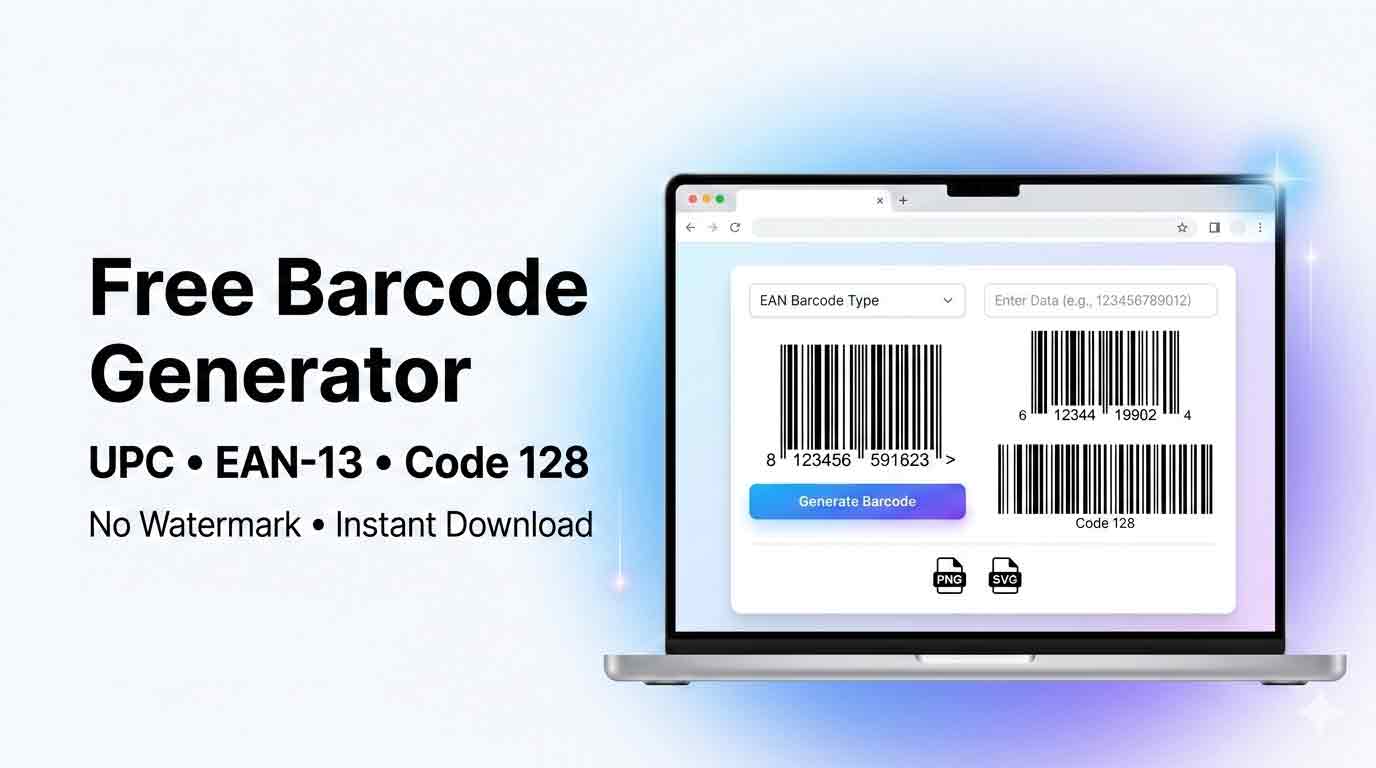
Free Barcode Generator
Free barcode maker for products, inventory & small business — Code 128, UPC, EAN-13, Code 39 — no watermark, download PNG or SVG
Free Barcode Generator – No Watermark, No Signup
The Stack Analyst’s free barcode generator lets you create professional barcodes in seconds — no registration, no watermarks, no fees. Whether you need a Code 128 barcode generator for shipping labels, an EAN-13 barcode generator for retail products, a Code 39 barcode generator for industrial use, or a UPC code generator for US retail, our barcode maker handles it all directly in your browser.
Our free bar code generator supports all the most widely used barcode standards — UPC-A, UPC-E, EAN-13, EAN-8, Code 128, Code 39, ITF-14, and MSI — making it a complete product barcode generator and barcode label generator suitable for retail, logistics, inventory management, and small business. Need to create a barcode quickly? Use it as a UPC barcode generator, an EAN barcode generator, or a general-purpose Code 128 generator — all in one free tool. Download barcodes as PNG or SVG with zero watermarks, completely free.
Quick Answers – What People Search For
What is a barcode generator? A barcode generator is a free online tool that converts text or numbers into a scannable barcode image. You enter a value (like a product code or SKU), choose a format (UPC, EAN-13, Code 128, etc.), and the tool produces a barcode image you can download as PNG or SVG and print on labels, packaging, or documents.
What is a barcode? A barcode is a visual pattern of parallel bars and spaces that encodes data — such as a product ID, price, or serial number — in a machine-readable format. Barcode scanners and smartphone cameras decode the pattern instantly. 1D (linear) barcodes like UPC and Code 128 store data horizontally. 2D barcodes like QR codes store data in a grid pattern and hold more information.
How to create a barcode online — 4 steps
- Choose a format — UPC-A for US retail, EAN-13 for global retail, Code 128 for general/inventory use
- Enter your data — product code, SKU, or any number/text supported by the format
- Customize — adjust size, color, bar width, and whether to show the number below the bars
- Download — save as PNG for digital use or SVG for print-quality output
Which barcode format should I use?
| Use Case | Best Format | Why |
|---|---|---|
| US retail product | UPC-A | Required by most US retailers. 12 digits. |
| International retail product | EAN-13 | Global standard. 13 digits. Used worldwide. |
| Shipping label / logistics | Code 128 | Encodes letters + numbers. No length limit. |
| Inventory / asset tracking | Code 128 | Flexible encoding for SKUs like WH-A12-001. |
| Industrial / healthcare | Code 39 | Widely supported in industrial scanners. |
| Outer carton / pallet | ITF-14 | Prints cleanly on corrugated cardboard. |
| Small product packaging | EAN-8 | Compact 8-digit version for tiny labels. |
Barcode vs QR code — what’s the difference?
| Barcode (1D) | QR Code (2D) | |
|---|---|---|
| Data capacity | 20–80 characters | Up to 4,296 characters |
| Data type | Numbers / limited text | URLs, text, contact info, WiFi |
| Scan direction | Horizontal only | Any direction |
| Best for | Retail, inventory, shipping | Marketing, websites, business cards |
| Scanner needed | Barcode scanner or phone | Smartphone camera only |
Need a QR code instead? Use our free QR code generator.
What barcode formats can I generate for free?
This free barcode generator supports the following formats — all free, no watermark, no signup:
- Code 128 — universal, letters + numbers, any length
- UPC-A — US retail standard, 12 digits
- UPC-E — compact US retail, 8 digits
- EAN-13 — global retail standard, 13 digits
- EAN-8 — small product retail, 8 digits
- Code 39 — industrial & healthcare, alphanumeric
- ITF-14 — shipping cartons, 14 digits
- MSI — warehouse inventory, numeric
⚙️ Barcode Settings
Preview & Download
- Use Code 128 for text + numbers (most flexible)
- Use UPC-A for US retail products (12 digits)
- Use EAN-13 for global retail (13 digits)
- Use SVG for print — scales without pixelation
- Always leave a quiet zone (white space) around barcodes
Supported Barcode Formats Explained
Our free bar code generator supports all the industry-standard barcode formats used in retail, logistics, manufacturing, healthcare, and publishing. Here’s a guide to choosing the right format for your use case:
A Closer Look at Each Barcode Format
The format grid above gives you a quick overview, but choosing the wrong format can mean invalid barcodes or scan failures. Here’s everything you need to know about the most commonly used formats:
Code 128 – The All-Rounder
Code 128 is the most versatile barcode format available. As a Code 128 barcode generator, our tool encodes the full ASCII character set — letters, numbers, and special characters — with no fixed length limit. It’s the go-to choice for shipping labels, warehouse inventory, retail backstock, and any application where the data isn’t strictly numeric. Code 128 produces compact barcodes and is supported by virtually every modern barcode scanner worldwide.
EAN-13 – The Global Retail Standard
EAN-13 is the global retail barcode standard used outside North America, and increasingly worldwide. Our EAN-13 barcode generator takes exactly 13 numeric digits and produces the barcode used on books (ISBN), magazines (ISSN), and consumer products sold internationally. The 13th digit is a check digit automatically validated by the tool. If you’re selling products in Europe, Asia, or any global market, EAN-13 is the format you need.
EAN-8 – When Space is Tight
EAN-8 is a shortened version of EAN-13 designed for small products where space is at a premium — lipstick, chewing gum, small stationery items. Our EAN-8 barcode generator requires exactly 8 numeric digits and produces a compact, scannable barcode that fits on the smallest product labels. Like EAN-13, the last digit is a validated check digit.
Code 39 – The Industrial Standard
Code 39 (also written as “3 of 9”) is one of the oldest and most widely adopted barcode formats in industrial, automotive, healthcare, and military environments. Our Code 39 barcode generator encodes uppercase letters A–Z, digits 0–9, and a handful of special characters (-, ., $, /, +, %, space). It doesn’t require a check digit, making it simple to work with. Code 39 barcodes are slightly wider than Code 128 for the same data, but their robustness and compatibility make them a popular choice.
ITF-14 – Built for Shipping Cartons
ITF-14 is designed specifically for outer cartons, shipping boxes, and pallets in the supply chain. Our ITF-14 barcode generator encodes exactly 14 numeric digits and is typically printed directly on corrugated cardboard — surfaces that most other barcode formats struggle with. ITF-14 uses thick, robust bars that tolerate the printing imperfections common on cardboard. If you ship products in bulk cartons and need barcodes on the outer packaging, ITF-14 is the correct format.
Who Uses This Tool & How
Small Business Owners
Our free barcode generator for small business owners eliminates the need for expensive barcode software or paid subscriptions. Whether you run an online store, a boutique, a food stall, or a service business, you can generate professional barcodes for your products instantly. Create UPC or EAN barcodes for retail listings, Code 128 barcodes for internal order tracking, or Code 39 barcodes for asset tags — all without spending a penny. Download SVG files for crisp print-ready output on your own label printer.
Tracking Inventory
Managing inventory without barcodes is slow and error-prone. Our barcode generator for inventory lets you create unique barcodes for each SKU, shelf location, or asset in your system. Code 128 is ideal for inventory barcodes because it encodes both letters and numbers freely — so you can encode descriptive codes like WH-A12-SKU001 rather than just numbers. Generate as many barcodes as you need, download them as PNG for printing on standard label stock, and scan them with any handheld scanner or smartphone barcode app.
Printing Product & Shelf Labels
Need a barcode label generator for product stickers, shelf tags, or asset labels? Our tool generates clean, print-ready barcodes in PNG and SVG format that you can paste directly into label design software (Canva, Adobe Illustrator, Word, LibreOffice) or send straight to a label printer. Use the SVG download for the sharpest possible output at any label size — vector barcodes scale perfectly from 1cm to 1 metre with zero quality loss.
Putting Barcodes on Your Products
Creating barcodes for your products is one of the most common use cases for our tool. As a product barcode generator, it supports UPC-A (for US retail), EAN-13 (for global retail), EAN-8 (for small products), and ITF-14 (for outer cartons). Enter your product code, choose the format, customize the size and colors, and download the barcode for use on packaging, labeling, or your ecommerce listings. Remember: for products sold through major retailers or online marketplaces, you’ll need a GS1-registered number — see the disclaimer section below.
Using Barcodes in Excel & Spreadsheets
One of the most searched use cases is a barcode generator for Excel — people want to take a list of product codes from a spreadsheet and get barcodes back. While our tool generates one barcode at a time, you can easily copy your codes from Excel, generate the barcode here, and download the PNG to insert back into your spreadsheet or document. The PNG download works perfectly in Excel, Word, and Google Sheets via Insert → Image. A bulk barcode feature for full Excel lists is on our roadmap.
Step-by-Step: Getting a Barcode onto Your Product
Here’s the complete process for how to create a barcode for a product from scratch:
- Choose your format: UPC-A for US retail (12 digits), EAN-13 for global retail (13 digits), or Code 128 for internal/custom use.
- Get your number: For commercial retail use, purchase a GS1 Company Prefix at gs1.org. For internal use, any number works.
- Generate the barcode: Enter your number into our tool, select the format, and click Generate.
- Download SVG: SVG format is essential for print — it scales to any label size without pixelation.
- Place on packaging: Import the SVG into your label design software and position it with adequate quiet zone (white space) on all sides.
- Test before printing: Always scan the test print with a real barcode scanner or smartphone app before a full production run.
Why Use Our Free Barcode Maker?
There are dozens of barcode generators online, but most either charge for downloads, add watermarks, limit the number of barcodes you can create, or require you to sign up. Ours does none of that.
🆓 Truly Free, Always
Create unlimited barcodes with zero cost. No subscription, no watermark, no registration required — ever.
🏭 8 Barcode Formats
Code 128, UPC-A, UPC-E, EAN-13, EAN-8, Code 39, ITF-14, MSI — all the formats used in real industry.
🎨 Fully Customizable
Change bar color, background color, bar width, height, font size, and margins to match your exact requirements.
💾 PNG + SVG Download
Download barcodes as PNG for digital use, or SVG for professional printing at any scale without quality loss.
✅ Format Validation
The tool validates your input against the selected format — no more guessing if your UPC or EAN data is valid.
⚡ Instant, No Upload
Everything runs locally in your browser. No data is sent to a server — fast, private, and offline-capable.
How to Create a Barcode – Step by Step
Step 1 – Choose Your Barcode Format
Select the barcode type that matches your use case. If you’re making a barcode for a retail product sold in the US, choose UPC-A. For international products, choose EAN-13. For general purpose use — shipping labels, inventory tags, asset tracking — Code 128 is the most flexible choice. Each format shows a hint explaining what data it accepts.
Step 2 – Enter Your Data
Type or paste your barcode data into the input field. The format you’ve selected determines what’s valid: UPC-A requires exactly 12 digits, EAN-13 requires 13, while Code 128 and Code 39 accept letters and numbers freely. If your input is invalid for the selected format, the tool will show a clear error message.
Step 3 – Customize the Appearance
Adjust the barcode to fit your design. Change the bar color and background to match brand guidelines, set the bar width (thinner bars pack more data, wider bars scan better at distance), adjust the height, and choose whether to show or hide the human-readable text beneath the bars. Larger margins improve scanner reliability.
Step 4 – Generate & Download
Click Generate Barcode to create your barcode and see the live preview. Once happy, download as PNG for digital applications (websites, PDFs, documents) or SVG for professional print work where the barcode needs to scale to any size without pixelation. You can create barcodes for as many items as you need — there are no daily limits. Use our free QR code generator if you need a 2D code for URLs or contact info instead.
Barcode Format Quick Reference
Use this table to quickly identify which barcode format is right for your project:
| Format | Data Type | Length | Primary Use |
|---|---|---|---|
| Code 128 | All ASCII | Any length | Shipping, inventory, general purpose |
| UPC-A | Numeric only | 12 digits | US & Canada retail products |
| UPC-E | Numeric only | 8 digits | Small US retail packaging |
| EAN-13 | Numeric only | 13 digits | Global retail products |
| EAN-8 | Numeric only | 8 digits | Small international products |
| Code 39 | Alphanumeric + symbols | Any length | Automotive, healthcare, industrial |
| ITF-14 | Numeric only | 14 digits | Shipping cartons, outer packaging |
| MSI | Numeric only | Any length | Warehouse inventory, shelf labels |
Frequently Asked Questions
⚠️ Disclaimer
This tool generates barcode images from any data you enter and is intended for personal, educational, and internal business use. For retail products sold in stores, your UPC or EAN barcode number must be officially registered through GS1 — the global authority for product barcodes. The Stack Analyst does not issue, validate, or guarantee the commercial legitimacy of any barcode numbers entered into this tool. Use of generated barcodes for retail purposes without a valid GS1-registered number is the sole responsibility of the user. The Stack Analyst accepts no liability for misuse of barcodes created with this tool.
Barcode Best Practices
Always Test Before Printing
Before committing to a print run, test your barcode with multiple scanners — a dedicated handheld barcode scanner and a smartphone app (e.g., Google Lens or a free barcode scanner app). Test under different lighting conditions and at different distances.
Use SVG for Print, PNG for Digital
For product packaging, labels, and signage, always download the SVG file. SVG is vector-based and prints at any resolution without becoming blurry or pixelated. PNG files are raster-based and will degrade if scaled up — fine for on-screen use but not ideal for print.
Maintain Strong Contrast
Barcodes need strong contrast between bars and background to scan reliably. Black bars on white background is the standard and most reliable combination. Avoid printing barcodes on colored backgrounds, textured materials, or shiny surfaces without testing first. Use our color code converter to check contrast ratios if using custom brand colors.
Choose the Right Bar Width
Thinner bars allow more data in a smaller space but require a higher-quality printer to reproduce correctly. Wider bars are easier to scan at distance and more tolerant of lower print quality. For inkjet-printed labels, use Normal (2x) or Wide (3x) bar width to ensure clean edges.
Respect Minimum Size Requirements
Barcodes that are too small will fail to scan. For UPC-A and EAN-13, the minimum recommended size is approximately 2.54cm (1 inch) wide. For Code 128 and Code 39, minimum bar height should be at least 15% of the barcode width. When in doubt, go bigger — larger barcodes are always more reliable.